Laptop Data Recovery
All Brands. All Failures
Lost data from your laptop? Water spill? SSD failure? Broken screen but need files? We recover from MacBook, Dell, HP, Lenovo, Asus, and all laptop brands – including encrypted drives and water damage.
- MacBook, Windows, Linux - all laptop brands
- Water/liquid damage specialized recovery
- SSD, M.2 NVMe, and encrypted drive recovery
- FileVault, BitLocker decryption support
- Physical damage: broken hinges, cracked screens
- No data, no charge guarantee
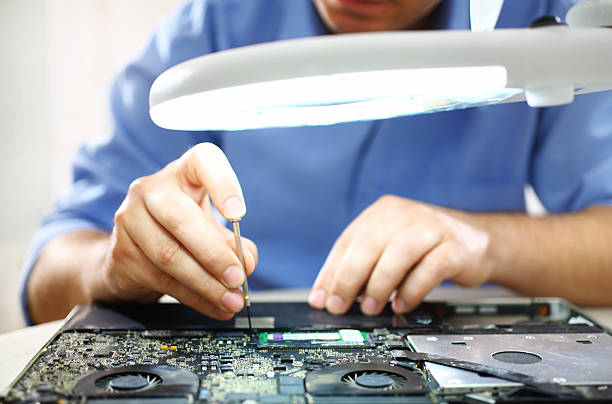
What is Laptop Data Recovery?
Laptop data recovery is the specialized process of retrieving data from portable computers including notebooks, ultrabooks, and MacBooks. Unlike desktops, laptops present unique challenges: compact designs, proprietary components, soldered SSDs, and frequent physical damage from drops and liquid spills. We have the expertise and tools to handle all laptop recovery scenarios.
All Laptop Brands
MacBook (Intel & M1/M2), Dell XPS/Latitude, HP Pavilion/EliteBook, Lenovo ThinkPad/IdeaPad, Asus ZenBook, Acer Aspire, Microsoft Surface.
All Storage Types
2.5" HDD/SSD, M.2 SATA, M.2 NVMe PCIe, soldered SSDs (Surface), Apple proprietary SSDs, eMMC storage.
Encrypted Drive Experts
FileVault (Mac), BitLocker (Windows), LUKS (Linux), VeraCrypt, hardware encryption. We work with your password/key.
Water Damage Specialists
Coffee spills, water damage, liquid corrosion. Specialized cleaning and component repair in cleanroom.
Brands We Recover From
+ Microsoft Surface, Samsung, Toshiba, MSI, Razer, and 100+ other brands
Common Laptop Data Loss Scenarios
Liquid Damage
- • Coffee/tea spills
- • Water damage
- • Keyboard short circuit
- • Corrosion damage
Physical Damage
- • Dropped laptop
- • Broken screen
- • Won't power on
- • Cracked chassis
Drive Failure
- • SSD not detected
- • MacBook won't boot
- • Blue/black screen
- • Clicking sounds
Encryption Issues
- • FileVault locked
- • BitLocker password lost
- • Encrypted drive failed
- • T2 chip issues
Common Laptop Failures We Recover From
Laptops face unique challenges – from liquid spills to proprietary SSDs. Click each category to see specific scenarios.
Coffee/Tea Spill on Keyboard
Liquid entered through keyboard causing short circuit
- •Sticky keys
- •Laptop won't turn on
- •Partial keyboard failure
- •Display flickering
Medium-High - 75% if brought in quickly
Water Damage
Laptop exposed to water or rain
- •Complete power failure
- •Corrosion visible
- •No LED lights
- •Burning smell
Medium - 70% with immediate cleaning
Motherboard Short Circuit
Liquid damage causing motherboard failure
- •Laptop powers on but no boot
- •Random shutdowns
- •No display
- •USB ports not working
Medium - 65% requires component repair
🍎 MacBook Specialists
Specialized expertise in Apple MacBook recovery including T2/M1/M2 chips
We work with your recovery key or password
Chip-off recovery for non-removable storage
Advanced tools for Apple Silicon recovery
Laptop Recovery Pricing Calculator
Get an instant estimate for your laptop data recovery. Transparent pricing, no hidden fees.
Configure Your Recovery
Select Your Options
Choose your laptop brand, failure type, and urgency to see an instant price estimate.
💡 MacBook Premium
MacBook and Surface devices require specialized tools and techniques, resulting in 30-40% higher costs.
⚡ Emergency Rush
Need your data urgently? 24-48 hour emergency service available for 80% additional fee.
🔒 Encryption Extra
FileVault and BitLocker encrypted drives require additional decryption work (price included in estimate).
Our Laptop Recovery Process
From laptop drop-off to data delivery in 5 simple steps. We handle everything – you just bring the laptop.
Bring Your Laptop
Visit our Guntur lab with your laptop. We accept walk-ins, no appointment needed. Free pickup available for liquid damage cases.
- Bring entire laptop (we handle disassembly)
- No need to remove hard drive yourself
- Encrypted drives: bring password/recovery key
- Water damage: bring within 24 hours critical
- Free pickup for local customers
Free Diagnosis
We disassemble your laptop in our lab, extract the storage, and perform comprehensive diagnostics.
- Professional laptop disassembly
- Storage extraction (HDD/SSD/M.2)
- Physical inspection for liquid damage
- Firmware and controller testing
- Success probability assessment
- Detailed quote provided
Get Your Quote
Receive transparent pricing based on actual failure type. No surprises, no hidden fees.
- Exact cost breakdown
- Recovery timeframe estimate
- Success probability percentage
- Encryption key requirements (if applicable)
- No obligation to proceed
Data Recovery
Expert recovery using specialized laptop techniques including liquid damage cleaning and chip-off for soldered SSDs.
- Liquid damage: Ultrasonic cleaning
- SSD recovery: Chip-off if needed
- Encrypted: Work with your key
- MacBook: T2/M1 specialized tools
- Real-time SMS updates
- Progress reports every 2 days
Verify & Pay
Personally verify your recovered files before payment. No data = no charge guarantee.
- Review complete file list
- Open and verify critical files
- Check photo/video integrity
- Payment only if satisfied
- Multiple delivery options
💧 Liquid Damage? Act Fast!
Water/coffee spills require immediate action. Bring your laptop within 24 hours for best recovery chances. Do NOT power it on after liquid exposure.
Emergency Call: +91-9885759665🔒 Encrypted Laptop?
Have FileVault or BitLocker enabled? Bring your password or recovery key. Without it, encrypted data recovery is not possible.
Learn More →Warning Signs Your Laptop Storage is Failing
Laptops show unique failure signs due to their portable nature. Quick action after these signs can save your data.
Critical Signs - Immediate Action Required
Liquid Spill on Keyboard
Liquid can cause immediate short circuit and corrosion
Power off immediately! Flip upside down. Do NOT turn on. Bring within 24 hours.
MacBook: Folder with Question Mark
Mac cannot find startup disk - SSD failure or disconnected
Do not run Disk Utility repair. Do not reinstall macOS. Contact us immediately.
Burning Smell from Laptop
Electrical component failure or battery issue
Unplug immediately. Do not charge or power on. Remove battery if possible.
Laptop Dropped - Now Not Working
Physical shock may have damaged internal storage
If hearing clicking sounds, power off immediately and do not retry.
Warning Signs - Take Action Soon
Extremely Slow Performance
SSD degradation, bad sectors developing
Backup immediately if possible. Plan for recovery soon.
Files Randomly Disappearing
Storage corruption, failing SSD sectors
Stop using laptop. Data loss is progressive.
Laptop Randomly Shuts Down
Power issue or storage causing system crashes
Check battery, but also suspect storage failure.
Blue/Black Screen Errors
Storage read/write failures causing OS crashes
Note error codes. Stop using to prevent data loss.
Clicking/Beeping from Laptop
Hard drive head crash or motor failure
Power off immediately. Each click causes damage.
Cannot Access FileVault/BitLocker
Encryption key issue or corrupted encryption headers
Do NOT attempt recovery key reset. Contact professionals.
MacBook Kernel Panic on Boot
Hardware failure, often storage related
Count frequency. Multiple panics = storage failure likely.
Laptop Fan Always Running Hot
Could indicate failing storage causing system stress
Combined with slowness, suspect storage failure.
🍎MacBook Specific Warning Signs
Folder with ? on Startup
Most common MacBook failure sign. Means Mac can't find system. Stop immediately.
Kernel Panic Messages
Repeated kernel panics often indicate SSD failure, especially on 2013-2017 models.
FileVault Won't Unlock
Password correct but won't unlock? Encryption header corruption. Need professional help.
Experiencing Any of These Signs?
Laptop failures can progress rapidly, especially liquid damage. Every hour counts.
💡 Laptop Data Protection Tips
Critical Do's & Don'ts for Laptop Data Loss
Laptops require different handling than desktops. These mistakes can make recovery impossible.
What TO DO ✓
Liquid spill: Power off and flip upside down immediately
CRITICALTurn off laptop instantly. Flip it upside down (keyboard facing down) to drain liquid away from components. Do NOT shake. Bring to us within 24 hours for ultrasonic cleaning.
Encrypted laptop: Bring your password/recovery key
CRITICALFileVault (Mac) and BitLocker (Windows) encrypted drives require your password or recovery key. Without it, data recovery is impossible. Locate and bring your key before visiting.
MacBook issue: Note the exact error message
IMPORTANTTake a photo of any error screens (folder with ?, kernel panic messages). This helps diagnosis significantly. Don't skip this step.
Bring entire laptop, we handle disassembly
IMPORTANTUnlike desktops, laptop disassembly requires special tools and expertise. Don't risk damaging ribbon cables or tiny screws. We'll safely extract the storage.
Stop using laptop immediately after data loss
CRITICALEvery file write can permanently overwrite deleted data. Power off and bring the laptop to us. Don't "try one more thing."
Laptop-Specific Advice:
Laptops are more delicate than desktops. When in doubt, bring the entire laptop to us. We have specialized tools for safe disassembly of all laptop brands including MacBook, Surface, and ultrabooks.
What NOT TO DO ✗
DON'T use rice for liquid-damaged laptops
CRITICALRice doesn't absorb internal liquid and can leave dust particles inside. More importantly, waiting 24-48 hours for rice "drying" allows corrosion to set in. Bring immediately instead.
DON'T run macOS Disk Utility First Aid
CRITICALMac users: First Aid can permanently modify drive structure, making professional recovery harder or impossible. If you see errors, stop and contact us.
DON'T attempt to disassemble modern laptops yourself
CRITICALUltrabooks and MacBooks have glued components, tiny ribbon cables, and proprietary screws. One wrong move can destroy the SSD. Modern laptops are NOT user-serviceable.
DON'T reinstall Windows/macOS on failed laptops
CRITICALOS reinstallation overwrites the boot sector, partition table, and potentially your data. What seems like a fix will make recovery expensive or impossible.
DON'T use free recovery software on SSDs
CRITICALConsumer software writes to the drive (for imaging) which can trigger TRIM on SSDs, permanently erasing recoverable data. SSDs require read-only professional tools.
DON'T reset FileVault/BitLocker password if drive failed
CRITICALPassword reset changes encryption keys but doesn't help if the drive physically failed. You'll lose the original key needed for recovery. Contact us first.
DON'T keep powering on laptop with clicking sounds
CRITICALClicking = head crash. Each power-on causes more platter damage. One or two attempts to diagnose is okay, but stop after that. Bring immediately.
DON'T wait weeks after liquid damage
IMPORTANTLiquid causes progressive corrosion damage. Within 24 hours: 90% recovery. After 1 week: 60%. After 1 month: 30%. Time is literally money with liquid damage.
Already Made a Mistake?
Used rice? Ran Disk Utility? Reinstalled OS? Don't panic. Many cases are still recoverable. Contact us immediately for assessment. The sooner you stop, the better your chances.
Liquid Damage? Every Hour Matters!
Corrosion starts within hours of liquid exposure. Professional ultrasonic cleaning within 24 hours can save your data. After 48 hours, success rate drops by 30%.
MacBook Users: Special Precautions
It modifies drive structure. Professional tools are read-only.
Changes encryption keys. Bring original password/recovery key.
Overwrites boot sectors. Recovery becomes more complex.
Terminal commands can cause permanent filesystem damage.
Real Laptop Recovery Success Stories
From MacBooks to Windows laptops, from students to businesses. Real cases, real results.
MacBook Pro - Thesis Lost Before Submission
PhD student's MacBook Pro crashed 1 week before thesis submission. 4 years of research data including 300-page thesis, research papers, and experimental data. FileVault encrypted. Folder with question mark on startup.
Emergency 48-hour recovery. Extracted SSD, chip-off recovery due to controller failure. Used student's FileVault password to decrypt data post-recovery.
Complete thesis and all research data recovered
Received 25% student discount
Dell Laptop - Coffee Spill During Finals
Engineering student spilled coffee on laptop keyboard during exam prep. Laptop shorted out. All project files, assignments, and study materials needed urgently.
Same-day ultrasonic cleaning of motherboard. Extracted SSD safely. Data intact as spill happened recently.
100% data recovery, files accessed same evening
Brought within 2 hours - critical for success
HP Laptop - Dropped, Semester Work Lost
Student dropped laptop on stairs. Screen cracked, won't boot. Entire semester's coding projects, presentations, and assignments stored locally.
Screen damage didn't affect storage. Removed 2.5" HDD, cloned successfully. All files recovered with folder structure.
All semester work recovered intact
Standard pricing, quick turnaround
Your Laptop, Your Story, Our Expertise
Every laptop is unique, but our success rate speaks for itself. From MacBooks to Windows laptops, encrypted to water-damaged, we've seen it all and recovered from it all.
Start Your Laptop Recovery →Our Laptop Recovery Capabilities
From MacBook T2 chips to Surface soldered SSDs. Specialized tools and expertise for every laptop brand.
Laptop Brands We Service
Storage Types
Specialized Recovery
Encryption Support
🍎MacBook Recovery Expertise by Model
| Model Year | Storage Type | Recovery Challenge | Success Rate |
|---|---|---|---|
| 2013-2017 Models | Proprietary SSD | Custom connector, need adapters | 92% |
| 2018-2019 T2 Chip | NVMe with T2 encryption | T2 chip complications, need specialized tools | 87% |
| 2020+ M1/M2 | Soldered to logic board | Requires chip-off, Apple Silicon tools | 82% |
Professional Laptop Recovery Equipment
MacBook Specialized Tools
Proprietary tools for T2/M1 chip recovery, Apple SSD connectors, Touch Bar removal
Ultrasonic Cleaning System
Professional ultrasonic bath for liquid damage motherboard cleaning
BGA Rework Station
For soldered SSD removal from Surface and modern ultrabooks
NAND Flash Reader
Direct NAND chip reading for failed SSD controllers
Precision Disassembly Tools
Brand-specific tools: Pentalobe, Torx, spudgers for all laptop brands
Encryption Key Tools
Professional tools for FileVault and BitLocker decryption with user keys
💧Our Liquid Damage Recovery Process
Professional ultrasonic bath removes liquid and corrosion
Microscope inspection for damaged components
Safely remove SSD/HDD from damaged laptop
Professional imaging and data extraction
⚡ Best Results: Bring within 24 hours of liquid exposure
Advanced Tools. Expert Technicians. Your Data Recovered.
We invest in the latest equipment and continuous training to handle even the most complex laptop recoveries. From MacBook M1 chips to Surface soldered SSDs.
Book Laptop Recovery →Detailed Laptop Recovery Case Studies
Real laptop recoveries from our Guntur lab. MacBook, Windows, Surface – every detail documented from diagnosis to success.
MacBook Pro 2019 - T2 Chip FileVault Recovery
1The Challenge
MacBook Pro 2019 with T2 chip suddenly died. Logic board failure. FileVault encrypted SSD. Customer had 3 years of code repositories, client projects, and personal documents. T2 chip complicates direct SSD reading.
2Our Diagnosis
- Logic board completely dead (no power)
- T2 chip preventing direct SSD access
- FileVault encryption enabled
- SSD physically intact
- Customer had FileVault password
3Recovery Solution
- 1Removed SSD from dead MacBook
- 2Used specialized T2 bypass adapter
- 3Connected SSD to working T2 MacBook
- 4Booted in Target Disk Mode
- 5Decrypted using customer's password
- 6Cloned entire SSD successfully
Final Result
"My MacBook was completely dead. They explained the T2 chip challenge clearly and recovered everything. As a developer, I got back all my Git repos and projects. Professional service!"
T2 chip recovery requires specialized adapters and a working T2 Mac for decryption.
Your Laptop Recovery Awaits
From simple deletions to complex MacBook T2 recoveries, we document and execute every case with precision and care.
Start Your Laptop Recovery →Laptop Data Recovery FAQ
Everything you need to know about laptop recovery – MacBook, Windows, Surface, and more
Still Have Questions About Your Laptop?
Every laptop situation is unique. Our specialists are available to answer your specific questions.
Ready to Recover Your Laptop Data?
MacBook, Windows, Surface – we handle them all with expert care
Book Online
Schedule your laptop drop-off. Select regular or emergency service.
Call Immediately
Speak with laptop recovery specialist. Immediate guidance.
Live Chat
Get instant answers about your specific laptop issue.
We Recover From All Laptop Brands
Expert recovery for every manufacturer
Why 6,500+ Customers Trust Us
Laptop recovery expertise you can count on
Open Monday-Saturday, 9 AM - 6 PM | Liquid damage emergency: 24/7
Located in Guntur, Andhra Pradesh | Free pickup for local customers
Student discounts available • Corporate recovery services • Insurance documentation provided